Writing, publishing, and marketing romance fiction has many moving parts, and many of those parts have tools and resources that can help you get the job done. Here are types of tools romance authors need to have.
Note that you don’t need every tool listed here. What you should have is a tool from each of the 7 types listed below.
1. Plotting & Story Structure Tools
Why You Need Them: To outline your story beats, map romantic tension, and avoid mid-book floundering. These tools can be digital or paper, whatever works best for you.
- Romance Beat Sheet: There are many out there from Write with Harte’s to Gwen Hayes’ Romancing the Beats. Other resources to consider are: Fool Proof Romance: Love Between the Beat Sheets by Christopher Downing, and 7 FIGURE FICTION: How to Use Universal Fantasy to SELL Your Books to ANYONE by T. Taylor, which isn’t so much a beat sheet, but tips on infusing the emotional elements readers crave in romance novels.
- Plottr: A visual plotting tool built for authors, with templates like Romancing the Beat to help structure your romance arc.
- Trello: A flexible, free planning app you can customize into a digital corkboard for character arcs, tropes, or beat sheets. Author Brittany Wang has a video how how she uses Trello to plot her novel.
- Note Cards: The tried and true method of plotting on notecards is still alive and well with many authors. Here is a video from a young author where she shows how she uses colored notecards and Romancing the Beats to plot her stories. Sarra Cannon has a blog post and video on using note cards to plot as well. You can pin your notecards on a cork board, or these felt cork board strips which can make it easy to separate your story’s acts (plus come in fun colors).
- Sticky Notes: Like notecards, sticky notes offer a great non-digital way to plot your story. These can be stuck to the wall, a dry erase board, poster board or foam board, or even in a notebook (I’ve used them in my Romance Author Novel Organizer).
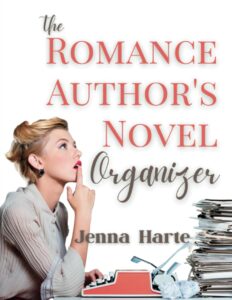
- Notebook: My first plots are almost always done on paper either in a notebook or using my Romance Author Novel Organizer starting with the graphic of the WWH beat sheet filling in the major beats (opening, inciting event, pinch points, black moment, and grand gesture).
2. Drafting & Manuscript Writing Tools
Why You Need Them: To write your first and subsequent drafts of your story.
- Microsoft Word: I started with word, and while I’ve tried other tools, I always end up back in word. Even with all the tools out there, Word is still an industry standard, especially for formatting manuscripts to submit to agents or publishers. Today, I use Microsoft 365, which has lots of great new bells and whistles, including audio transcription if I dictate (or you can dictate into Word directly), improved editing, comments for leaving myself notes, cloud storage to access my stories from any computer (PC or Mac) as well as from my phone, and more.
- Scrivener: Following Word, Scrivener is one of the most popular writing tools out there. It’s a powerhouse program for organizing and writing, especially for the price (a onetime cost of $59 at the time of writing, not subscription!). This program is packed with so much great stuff, that for some, it’s a bit overwhelming. But if you like creating story bibles, easy access and organization of notes and world-building, this is a great tool.
- Google Docs: It’s hard to beat free, especially when Google Docs offers some of the features Word does, such as dictating and a decent editor. I’ve handwritten chapters and then used my phone to upload into Drive and have Google Doc transcript into type.
- NovelCrafter: There are a tone more tools you can write in. Some of the editing tools below now let you write. But I’m going to add NovelCrafter to this list because of its Codex. Like in Scrivener, you can create a multitude of story notes and research, all saved in the codex. This could be character profiles, lore, city information, and more. What makes the Codex especially helpful is that it’s linked to your writing. If you’re writing about a place listed in your codex, when you write the places name, a line appears. Hover over it to get a pop-up of the details. No more leaving the writing to hunt down something you forgot. Plus, it has a Chat feature, which also has access to the codex, so that the information it gives you is related to your story. NovelCrafter does offer AI-generated writing, but you DO NOT have to use it.
3. Editing & Revision Tools
Why You Need Them: To clean up grammar, tighten pacing, and bring out the emotional clarity in your writing.
- Autocrit: I use Autocrit after I’ve done the basic editing in Word, and want more feedback on the writing beyond grammar. That said, you can start from scratch and plan, write, and edit from within Autocrit. Inspiration studio will help you plan or get unstuck if you have writers block. I really like the story analyzer, which doesn’t just find the passive sentences or weak words, but also gives feedback on the story’s timeline, character arcs, conflicts, plot progression, potential contradictions, foreshadowing and more. You can export to epub or PDF for publishing. Finally, the Market Fuel feature will help you pre-validate your story idea (is there a market for your story), know your story’s audience, genre trends, and competition, and will generate marketing materials like keywords, ad copy, and promotional strategies.
- ProWritingAid: This is probably the most used editing tool by authors. It will check grammar, style, repetition, pacing, and even dialogue tags. You can have a version running with Word, Google Docs, Scrivener and more, or upload your MS, or even write in ProWritingAid. I offers virtual beta readers, assessment of show vs tell, story sparks for when you’re stuck, and more.
- Grammarly: A popular grammar and clarity checker that catches common errors and offers quick readability suggestions.
- Hemingway Editor: A free tool that highlights passive voice, long sentences, and overly complex phrasing.
4. Notes & Research Tools
Why You Need Them: A place to store your ideas and research to build believable settings, character backstories, and interconnected series without losing track of the details. Some of the writing tools offer this already, such as Scrivener and NovelCrafter.
- Notion: I love Notion, but it does have a bit of a learning curve. That said, you can get templated for plotting, notetaking, organizing data, marketing calendar and so much more. It’s basically a powerful all-in-one workspace where you can store everything. it has an app so you can access on your phone or other devises. Thriving Scribes has a post/video on how she uses Notion as an author.
- Google Notebook LM: This is a new addition to my toolbox in 2025. Similar to Notion or Evernote, you can store research notes in the form of website links, PDFs, video, your own docs, and more. What’s really cool is that there is a Chat feature, in which you can ask for information that is drawn ONLY from the resources you’ve vetted. For example, you can upload your story bible, and then use the Chat to find the details you need from it. You can then save the chat response as a note.
- Evernote: At one point, Evernote was the go-to spot for storing notes. While other tools have come around (such as Notion), it’s still in use by many writers. Evernote is great for saving research, snippets of dialogue, or screenshots of inspiration. It has an app for access on your phone.
- Aeon Timeline: A specialized timeline tool perfect for complex plots, overlapping events, or long series arcs. I haven’t acutally used this, but I’m considering it for the new gothic romance series I’m writing as there is so much going on across a century.
- OneNote:–Microsoft’s note-taking app with a flexible notebook interface for organizing story notes. Here is a post in which an author shoes how they used OneNote for all the story’s details, plus wrote the story.
- Notebooks: For those who love paper, notebooks are still a great way to organize your story ideas and research. The Romance Author Novel Organizer has lots of pages for notes, research, and more.
5. Marketing Graphic Design Tools
Why You Need Them: To promote your work professionally and connect with readers across platforms.
- Canva: Canva is an easy-to-use design tool for creating social media graphics, book promo images, teasers, and even character mood boards.
- MockupShots: With a one-time (not subscription) payment you can get 3D book mockups, product shots , videos and more for your promotional materials.
- Author Social Assistant: I really like this option for when I don’t have the creative energy to come up with my social media plan. It offers monthly bookish social creatives, someof which include your book cover. It’s designed for all types of posts from memes, questions, quotes and more.
6. Marketing Tools
Why You Need Them: To get the word out and develop relationships with readers. (You should have all of these…a website, email, and social media).
- Website: You need to own your spot on the Internet. A place to call your home where you invite readers to learn more about you and buy your books. You have many options for this including: Wix, WordPress (self-hosted) with something like Momwebs or Hostinger, Squarespace, and more.
- Email: I truly believe all authors need to grow an email list. I currently recommend MailerLite or AWeber, as your email list service. For information on email marketing read: Build Your Author Email list, How to Create a Reader Magnet, and 18 Email Ideas to Send Your List
- Social Media Scheduler: You don’t need to be on every social platform to market your book, but you should be on a couple. One of the easiest ways to setup and schedule social media is through a tool like Social Bee (which I use) or if you’re on Facebook and Instagram only, you can use the Meta Business Suite.
- Swaps and Giveaways: A great way to grow your email list is through email swaps and book giveaways. Bookfunnel offers book delivery and access to it’s swap and giveaway features, as well as email integration for easy list building. Bookclicker offers a free swap service or you can pay (as low as $5) to be featured in another author’s newsletter.
- Other tools to consider would be a link-in-bio service (e.g. Linktree although why not just have a page on your website for this?), video editing for social media (e.g. Capcut)
7. Community & Collaboration Tools
Why You Need Them: Because writing can be lonely—and community helps you stay accountable, inspired, and connected.
- Facebook Groups: Many romance writing communities and pitch events thrive in private author groups.
- Discord: Real-time chat platforms where writing groups can brainstorm, sprint together, or share feedback.
- ReamStories or Patreon: These offer a community element, along with the ability to earn extra income, and build a community of raving fans.
You don’t need to master every tool, but finding the ones that suit your workflow can make romance writing easier, more efficient, and more fun. Try a few, experiment with what works, and build a toolkit that supports your stories and your author career.
Are there tools I’ve missed that you recommend? Have you tried any of the tools on this page? Let me know in the comments below.